
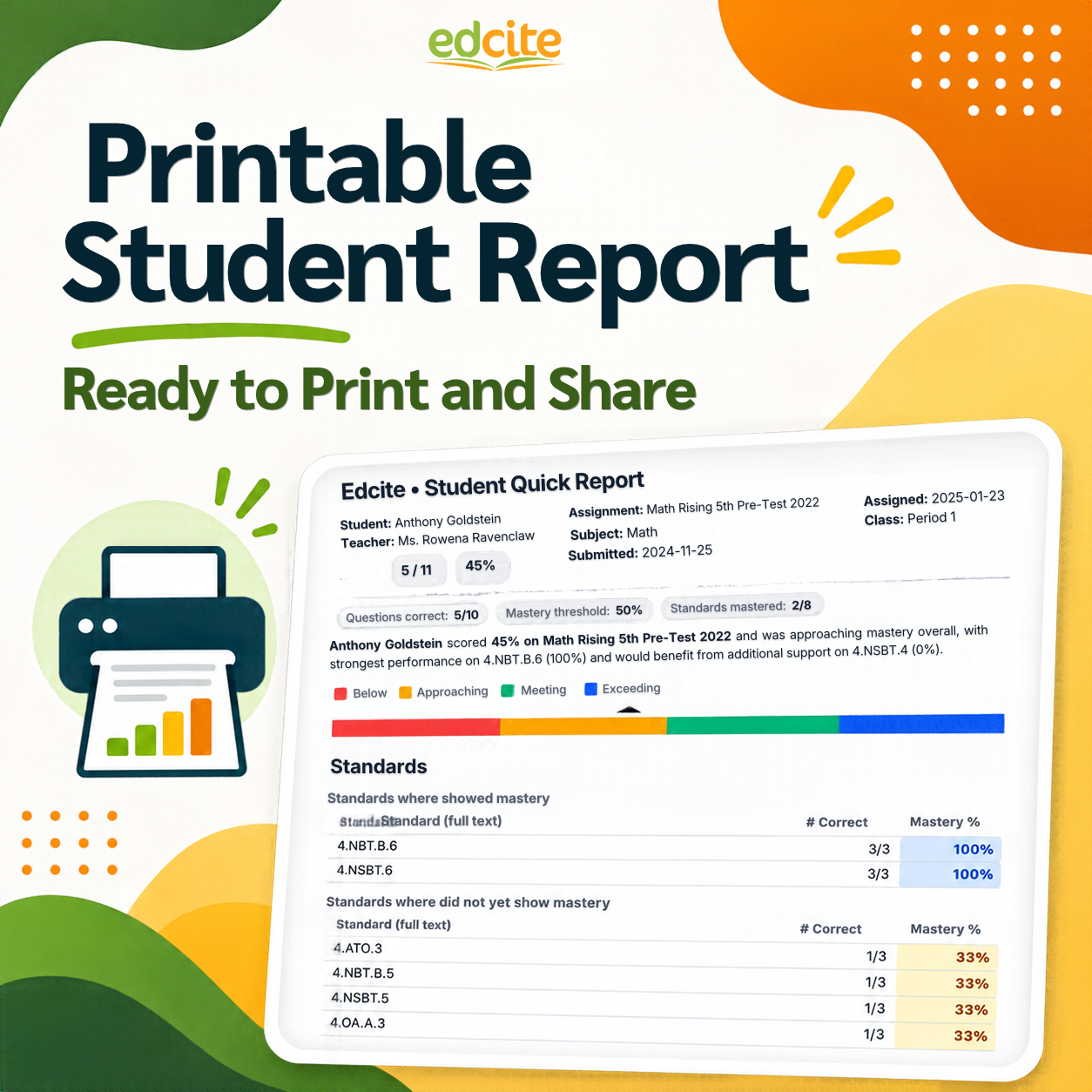
Quickly generate and bulk print personalized student performance summaries to support reflection, family communication, and next steps for learning.
Edcite’s new Printable Student Report brings assessment scores, standards mastery, and student responses together in one easy-to-share report.
Teachers can generate reports in bulk, saving time when preparing for parent-teacher conferences, student reflection activities, and take-home communication.

Student Performance at a Glance
The Printable Student Report brings key assessment results together in one easy-to-read summary, including:
- Overall assessment score: A snapshot of student performance.
- Performance summary: A quick overview of student achievement, highlighting strengths and areas needing additional support.
- Performance by standard: See which standards students have mastered and where additional support may be needed.
- Depth of Knowledge (DOK): A breakdown of performance across different levels of cognitive complexity.
- Question-level results: A detailed view of student answers, scores, and performance on individual questions.
Teachers can use these insights to help students reflect on their learning, set goals, and identify skills needing additional practice.
Reports can also be shared with families during conferences or sent home, providing a clearer picture of student performance and opportunities for continued support.
Save Time with Bulk Printing
Instead of generating and downloading reports individually, teachers can prepare personalized performance summaries for an entire class in just a few steps.
Teachers can:
- Generate reports for multiple students at once.
- Customize reports by selecting classes and choosing whether to include question prompts, student answers, and personalized notes.
- Save reports as separate PDFs or one combined PDF.
- Print reports for parent-teacher conferences, student data folders, or take-home communication.
How to Access the Printable Student Report
- Log in to your Edcite Schools teacher account.
- Open the Reports Hub.
- Under the Special column, select Printable Student Report.

Note: This report is available through Edcite Schools teacher accounts only.
Ready to try it? Log in to Edcite and explore the new Printable Student Report.
Leave a Reply